

How to Run a Pomodoro Timer in Your Browser
A 25-and-5 focus routine works best when the timer sits where the distraction starts. Here's how to run one in Chrome, and how to make it stick.
Most focus advice fails on the same detail: the timer lives somewhere you aren't. A phone facedown on the desk, an app behind fifteen windows, a kitchen timer in the kitchen. The distraction, meanwhile, starts in the browser - one new tab, one quick check, twenty minutes gone.
Putting the timer in the browser closes that gap. This guide covers the Pomodoro technique in its original form, why a browser is the right place to run it, how to set one up on your new tab page, and what to do when the routine stops working.
Work on one task for 25 minutes, then take a 5-minute break; after four rounds, take a longer one. Put the timer on your new tab page, so the reflexive tab-open that usually pulls you out of work reminds you you're mid-session instead.
The technique, in one paragraph
Francesco Cirillo's Pomodoro technique is a timer and a rule. Work for 25 minutes on one thing. Stop, whatever state it's in, and take a 5-minute break. That is one pomodoro. After four of them, take a longer break - 15 to 30 minutes.
The 25 minutes is not the point; the rule is. The timer makes starting cheap, because 25 minutes is short enough that nothing in you argues with it, and it makes stopping mandatory, which is what keeps the fourth session as good as the first.
One pomodoro, one task. If you finish early, spend the rest of the block reviewing or tidying that same task rather than starting the next one - the break is what you're protecting.
Why run it in the browser
Whatever you are avoiding, you are probably avoiding it in a tab. That makes the browser the right place for the timer, for three reasons:
- It's already open. A timer you have to launch is a timer you skip on the morning you most need it.
- It sits on the path of the distraction. If the countdown is on the page you land on when you open a new tab, the reflexive tab-open turns into a reminder instead of an exit.
- It survives the context switch. Close a document, switch projects, come back an hour later - the browser is still there and the session count with it.
A new tab extension takes this one step further: the timer isn't a page you navigate to, it's the page that appears. See how to change your Chrome new tab background for the three ways of replacing that page.
Setting one up on your new tab
Themefy puts the timer, a to-do list and the wallpaper on the same page, so the routine has somewhere to live.
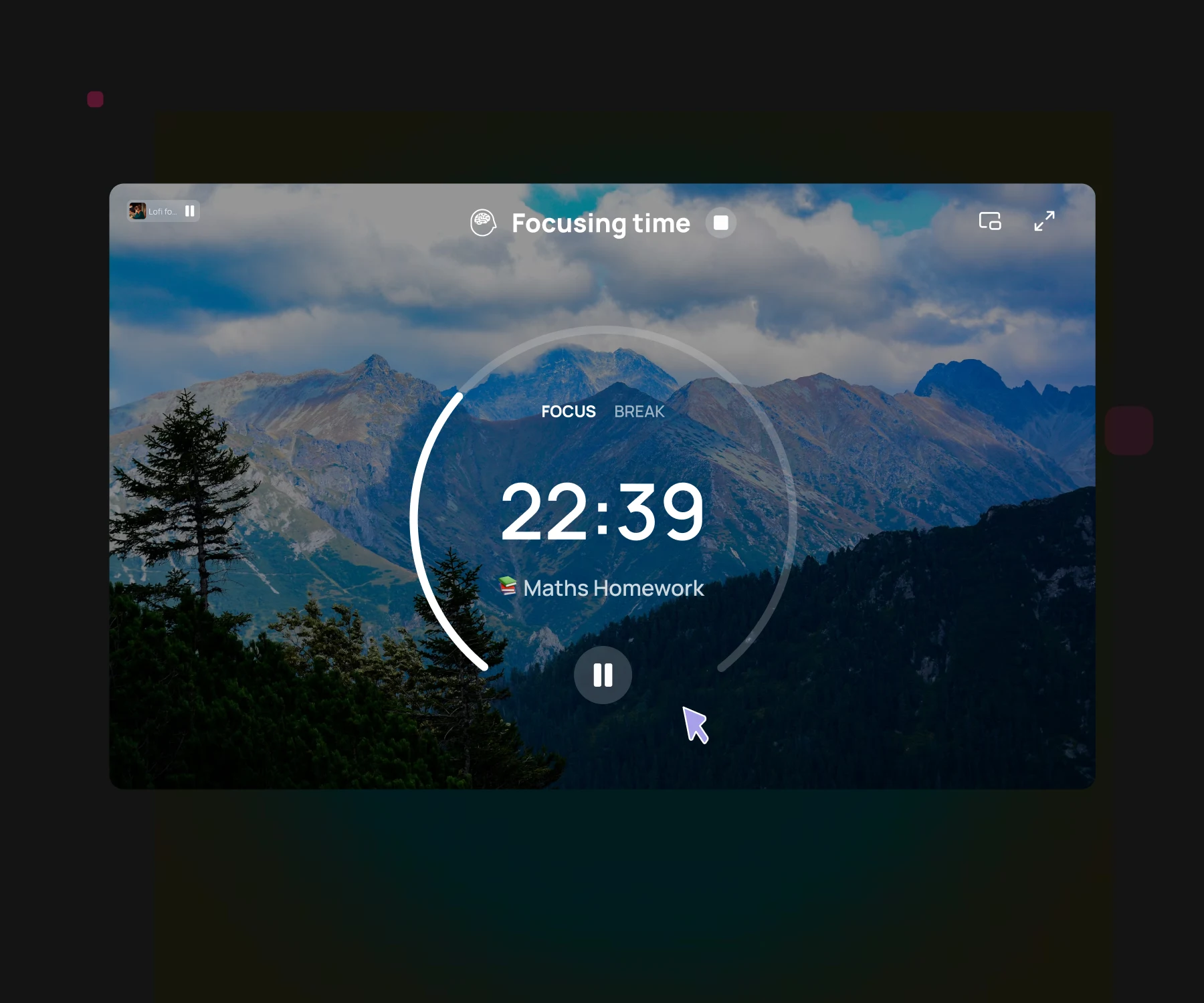
- Install Themefy and open a new tabIt's free and needs no account. The focus timer is on the page from the first tab you open.
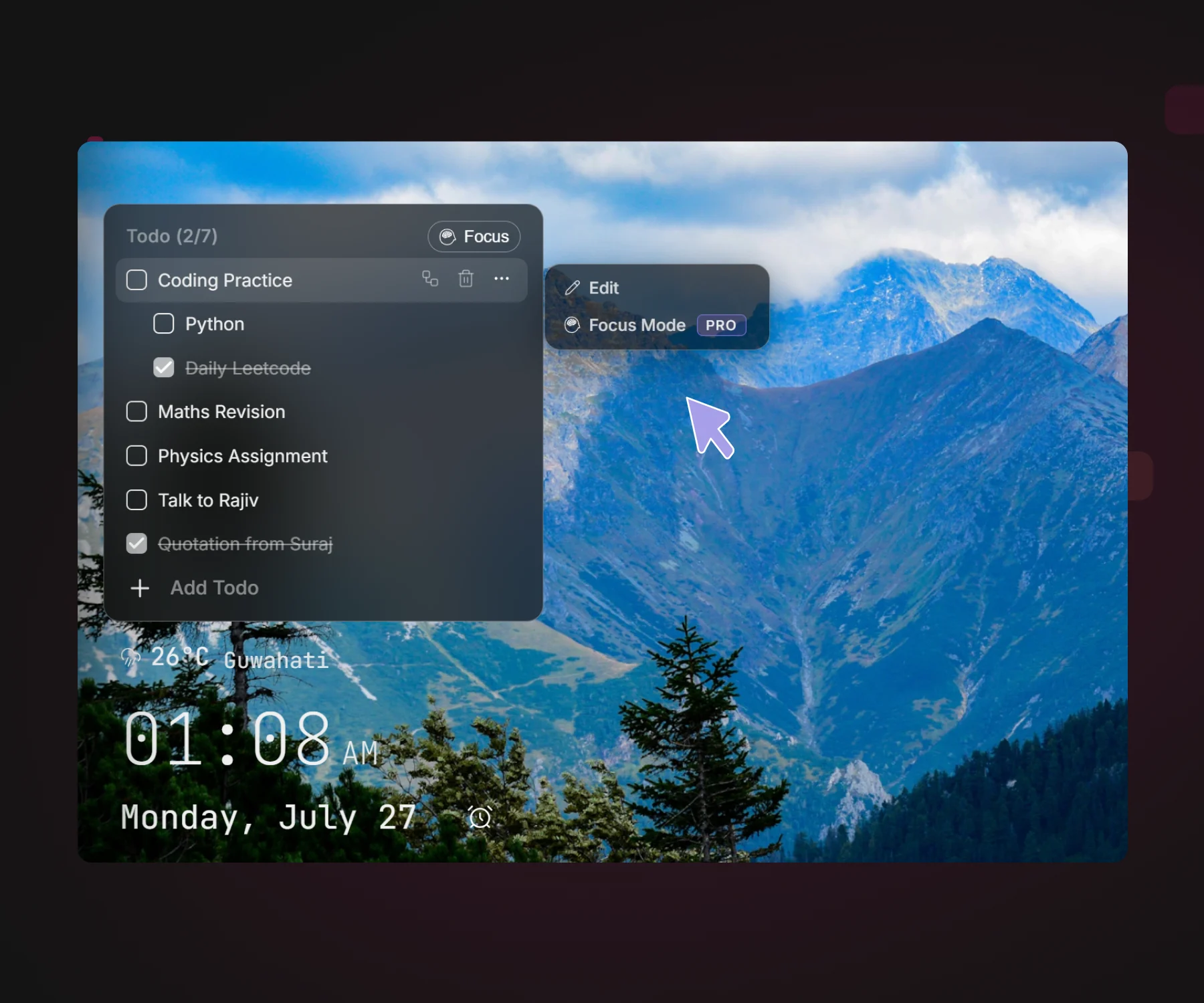
- Write down the one thingAdd a task to the to-do list and name it as narrowly as you can - Draft section 2, not Work on essay. A vague task is the most common reason a session drifts.
- Start a focus sessionStart the timer and keep that one task in front of you. The free plan includes three focus sessions a day, which is enough to find out whether the routine fits how you work. Pro removes the limit and lets you start a session on a specific task, straight from the list.
- Put a soundscape onPick a lofi track if silence isn't working for you. More on that below.
- Take the break away from the screenStand up, get water, look out of a window. A break spent scrolling is not a break - it's the same screen with worse attention.
What about the lofi?
Instrumental music with no lyrics and little dynamic range - which is what lofi is, more or less by design - gives many people something to work against without giving them anything to listen to. It masks an office, a café or a flatmate, and the steady loop makes the boundary of a session audible: sound on, session on.
It isn't universal. Some people work better in silence, and anything with words tends to compete with writing and reading in particular. Treat it as a dial, not a rule: try a session with, a session without, and keep whichever left more behind.
Themefy includes lofi soundscapes in focus mode, so the audio starts and stops with the timer instead of being one more tab to manage.
Making it stick past the first week
Change the length before you abandon the method
25 minutes is a starting point, not a law. Deep code or long-form writing often wants 45 or 50 with a 10-minute break; a tired afternoon might only support 15. What matters is that the block is fixed before you start, not negotiated while you work.
Count sessions, not hours
Hours at a desk measure attendance. Completed sessions measure work. Four good pomodoros is a real day, and knowing that stops a slow morning from turning into a written-off one.
Write down the interruption instead of following it
When something occurs to you mid-session - an email to send, a thing to look up - put it on the to-do list and carry on. Most of it turns out not to be urgent by the time the break arrives, and the ones that were are still there.
Close the tabs the session doesn't need
A pomodoro spent with sixteen tabs open is a pomodoro spent deciding which one to look at. Keep what the task needs and let the rest go - they're in your history.
Common questions
How long should a pomodoro be?
The classic block is 25 minutes of work and a 5-minute break, with a longer 15 to 30 minute break after four. Longer blocks of 45 to 50 minutes suit deep work like writing or programming. Pick a length before you start and keep it fixed for the session.
What do I do if I'm interrupted mid-session?
Note the interruption on your task list and keep going if you can. If the interruption has to be handled now, stop the session and start a fresh one afterwards rather than resuming a half-spent block.
Does a browser timer keep running if I switch tabs?
It should. Themefy's focus timer keeps counting while you work in other tabs and other windows, which is the point - the timer belongs on the new tab page, not in the tab you're working in.
Is a Pomodoro timer good for studying?
It suits studying well, because revision is mostly a starting problem rather than a stamina problem. Fixed blocks make it easy to begin, and the enforced breaks are what keep a three-hour session from turning into two hours of rereading the same page.
Do I need an account to use the timer?
Not with Themefy. You can skip sign-in and use the timer straight away. The free plan covers three focus sessions a day; signing in is only needed to upgrade.
Start with the page, not the plan
A focus routine needs less setup than it seems to. One task named narrowly, one fixed block of time, and a timer somewhere you can't help seeing - which, for most of a working day, means the browser.
Themefy puts that timer on your new tab, with the wallpaper, quick links and to-do list on the same page. It's free to install.